


Recommended



Crazy Ball
What is Crazy Ball
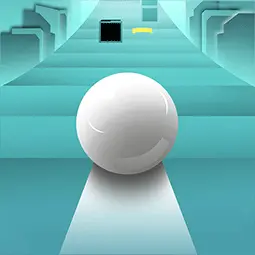
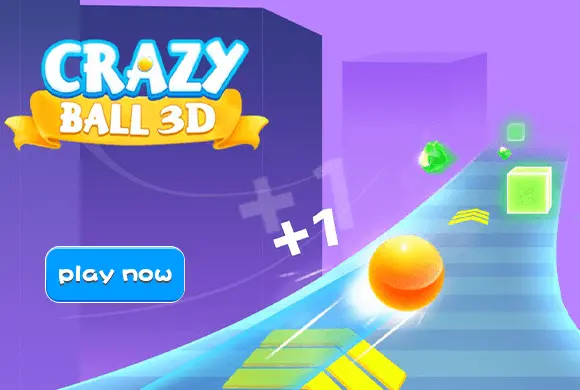
"Crazy Ball 3D" is an exhilarating hyper-casual runner game that will push your reflexes to the limit! You take control of a vibrant ball rolling down a seemingly endless, winding track suspended in a minimalist 3D environment. Your objective is simple but challenging: survive as long as possible by dodging a variety of obstacles like ice blocks and sudden walls. The game offers two exciting modes. In "Play Single," you challenge your own high score and try to cover the maximum distance. In "Play Multi," you are matched with other players' ghost records, racing to see who can surpass the most competitors. As you play, you can collect diamonds by watching videos or logging in, which can be used to unlock cool new skins for your ball. With its clean graphics, intense speed, and heart-pumping gameplay, "Crazy Ball 3D" is perfect for quick gaming sessions and competitive spirits!
Key Game Features
High-Speed Action: The ball rolls continuously and gets faster, demanding quick reflexes. Dual Modes: Choose between Single Player for distance and Multiplayer to surpass others. Unlockable Skins: Use earned diamonds to customize your rolling ball with unique patterns. Minimalist 3D Art: Clean graphics allow you to focus entirely on the fast-paced gameplay. Simple Controls: Easy-to-learn swipe or tap mechanics, suitable for all ages.
How to Play & Master
Playing "Crazy Ball 3D" requires sharp eyes and fast fingers. Step 1: Choose your mode on the main screen: "Play Multi" (race against others) or "Play Single" (endless distance run). Step 2: Once the game starts, your ball will automatically accelerate down the track. Step 3: Use your finger to steer the ball left and right across the track. Your goal is to navigate through the gaps between the obstacles (like the large ice blocks and walls). Step 4: Pay attention to the track's layout. It twists, turns, and sometimes has speed boost arrows (yellow chevrons) that make your ball go even faster! Step 5: If you hit an obstacle, your run is over. In Multiplayer, the game shows how many players you surpassed before crashing. In Single Player, your total distance is recorded. Step 6: Check the main menu to claim daily login diamonds or watch ads to get more, then head to the shop to buy a new look for your ball!
Game Controls
Swipe/Drag: Touch the screen and drag your finger left or right to steer the ball horizontally across the track. The ball moves forward automatically.
Frequently Asked Questions (FAQ)
Q: Does "Play Multi" mode require an internet connection? A: It simulates a multiplayer experience by matching you with the recorded runs (ghosts) of other players, so it may work offline, but an internet connection ensures your score is updated. Q: How do I get new ball skins? A: Tap the shirt icon on the main menu. You can buy new skins using the green diamonds you collect from daily logins and by watching video ads. Q: What do the yellow arrows on the floor do? A: They are speed boosters! Rolling over them will give your ball a temporary burst of speed.
Crazy Ball
What is Crazy Ball
"Crazy Ball 3D" is an exhilarating hyper-casual runner game that will push your reflexes to the limit! You take control of a vibrant ball rolling down a seemingly endless, winding track suspended in a minimalist 3D environment. Your objective is simple but challenging: survive as long as possible by dodging a variety of obstacles like ice blocks and sudden walls. The game offers two exciting modes. In "Play Single," you challenge your own high score and try to cover the maximum distance. In "Play Multi," you are matched with other players' ghost records, racing to see who can surpass the most competitors. As you play, you can collect diamonds by watching videos or logging in, which can be used to unlock cool new skins for your ball. With its clean graphics, intense speed, and heart-pumping gameplay, "Crazy Ball 3D" is perfect for quick gaming sessions and competitive spirits!
Key Game Features
High-Speed Action: The ball rolls continuously and gets faster, demanding quick reflexes. Dual Modes: Choose between Single Player for distance and Multiplayer to surpass others. Unlockable Skins: Use earned diamonds to customize your rolling ball with unique patterns. Minimalist 3D Art: Clean graphics allow you to focus entirely on the fast-paced gameplay. Simple Controls: Easy-to-learn swipe or tap mechanics, suitable for all ages.
How to Play & Master
Playing "Crazy Ball 3D" requires sharp eyes and fast fingers. Step 1: Choose your mode on the main screen: "Play Multi" (race against others) or "Play Single" (endless distance run). Step 2: Once the game starts, your ball will automatically accelerate down the track. Step 3: Use your finger to steer the ball left and right across the track. Your goal is to navigate through the gaps between the obstacles (like the large ice blocks and walls). Step 4: Pay attention to the track's layout. It twists, turns, and sometimes has speed boost arrows (yellow chevrons) that make your ball go even faster! Step 5: If you hit an obstacle, your run is over. In Multiplayer, the game shows how many players you surpassed before crashing. In Single Player, your total distance is recorded. Step 6: Check the main menu to claim daily login diamonds or watch ads to get more, then head to the shop to buy a new look for your ball!
Game Controls
Swipe/Drag: Touch the screen and drag your finger left or right to steer the ball horizontally across the track. The ball moves forward automatically.
Frequently Asked Questions (FAQ)
Q: Does "Play Multi" mode require an internet connection? A: It simulates a multiplayer experience by matching you with the recorded runs (ghosts) of other players, so it may work offline, but an internet connection ensures your score is updated. Q: How do I get new ball skins? A: Tap the shirt icon on the main menu. You can buy new skins using the green diamonds you collect from daily logins and by watching video ads. Q: What do the yellow arrows on the floor do? A: They are speed boosters! Rolling over them will give your ball a temporary burst of speed.

Idle Rancher
 608.4K
Chop.io
1.3M
Pop Stone2
4.8M
Mecha Beasts
278.4K
Bubble Legend
1.2M
Bubble Spinner
1.1M
Tiny Clash
246.5K
Best Link
359.0K
My Fairies Dress Up
137.9K
Yeloli Princess Makeup
203.0K