



ColorTheTown
ColorTheTown
What is Color the Town
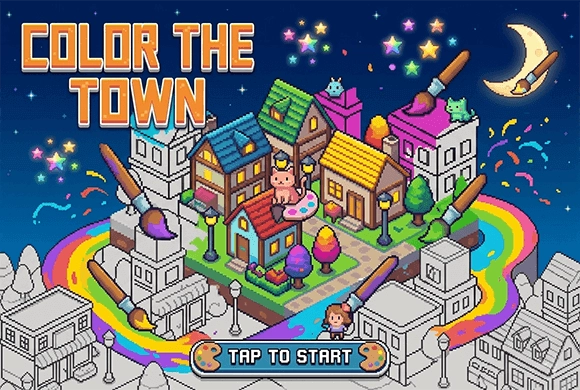
Welcome to the artistic and soothing world of Color the Town, a unique puzzle game that blends number-based coloring with a charming town-building narrative. In this vibrant 2D experience, you take on the role of a master artist tasked with bringing color and joy back to a gray urban landscape. The core gameplay is an engaging "paint by numbers" mechanic: solve intricate pixel puzzles by filling in squares with the correct colors corresponding to numbered clues. Each completed puzzle not only reveals a beautiful artwork, like a cute penguin or a scenic building, but also helps "light up" parts of the map. As you progress, you'll earn unlock keys to explore new streets and collect a variety of adorable animal friends. With its clean pixel graphics, relaxing atmosphere, and hundreds of levels, Color the Town offers a perfect mental getaway. Whether you want to sharpen your focus or simply unwind with some creative fun, this game provides a deeply satisfying and artistic journey for players of all ages.
Key Game Features
Satisfying Pixel Coloring: Experience the joy of watching colorful pixel art come to life square by square through intuitive number matching. Interactive Town Builder: Use your completed puzzles to illuminate and beautify various streets and districts across a massive world map. Adorable Collection System: Unlock and collect a wide variety of charming animal characters and unique urban landmarks. Relaxing Brain Training: Sharpen your observation skills and spatial awareness at your own pace without pressure or time limits. Multi-Stage Exploration: Discover new areas by earning "Unlock Keys," with difficulty gradually increasing to keep you engaged.
How to Play & Master
Your main goal is to complete pixel puzzles to earn keys and unlock more of the town. Start by selecting an available street on the map. Tap on a gray object to enter the coloring screen. At the bottom, you'll see a row of numbered colors. Tap a color and then tap the corresponding numbered squares on the grid to fill them in. You can use two fingers to pinch and zoom in for more detail, or drag across the screen to pan around. If you get stuck, look for the "Hint" icon (lightbulb) to reveal the next correct placements. Once a picture is 100% complete, you'll receive key fragments or full keys. Use 5 keys to unlock any new street and continue your creative adventure. Successfully lighting up 10% of a street's objects will grant you a bonus unlock key!
Game Controls
Tap: Select color and fill squares. Two-Finger Pinch: Zoom in/out. Two-Finger Drag: Move/Pan the picture.
Frequently Asked Questions (FAQ)
Q: How do I get more unlock keys? A: Keys are primarily earned by completing 100% of a pixel puzzle or by reaching 10% progress in a specific street's coloring objects. 。 Q: Can I change a color if I make a mistake? A: Yes, simply select the correct color for that number and tap the square again to fix it. Q: Why can't I see the numbers clearly? A: Use two fingers to pinch and zoom in on the picture. The numbers will become much larger and easier to see.


Idle Rancher
 608.4K
Chop.io
1.3M
Pop Stone2
4.8M
Mecha Beasts
278.4K
Bubble Legend
1.2M
Crazy Ball
667.7K
Bubble Spinner
1.1M
Tiny Clash
246.5K
Best Link
359.0K
My Fairies Dress Up
137.9K