



Recommended
















Freecell solitaire
What is FreeCell Solitaire
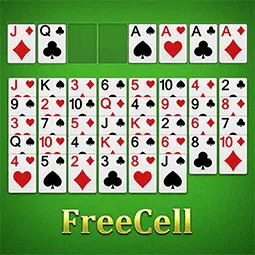
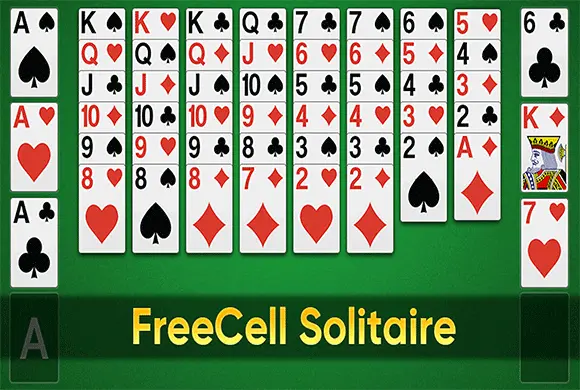
Dive into the strategic world of FreeCell Solitaire, the ultimate card puzzle that tests your logic and planning skills. Unlike other solitaire variants, almost every deal in FreeCell is winnable if you play your cards right. The goal is simple: move the entire deck of 52 cards to the four foundation piles at the top right, building up from Ace to King in each suit. You have eight tableau columns to organize cards in descending order with alternating colors, and four "free cells" to temporarily store cards and unlock new moves. With features like undo, hints, and statistics tracking, this classic game offers endless mental stimulation. Whether you are a casual player or a solitaire master, challenge yourself to clear the board in the fewest moves and shortest time.
Key Game Features
Classic FreeCell Rules: Follows traditional rules where cards are built down in alternating colors on the tableau and up by suit in the foundation piles. Strategic Free Cells: Utilize the four top-left free cells to temporarily hold single cards, allowing you to access buried cards and create longer sequences. Helpful Game Tools: Includes built-in Hint, Undo, and Statistics buttons to help you learn strategies, correct mistakes, and track your improvement over time.
How to Play & Master
Objective: Move all cards to the four Foundation piles (top right). Foundation: Build up from Ace to King by suit (e.g., A♥, 2♥, 3♥...). Tableau: Build down in the eight columns. Cards must be alternating colors (Red on Black, Black on Red). Free Cells: Use the four top-left spots to temporarily store any single card. Winning: Clear all cards from the tableau to the foundation to win the game.
Game Controls
Move Card : Drag and Drop or Tap Undo : Tap the Undo button (bottom right) Hint : Tap the Lightbulb icon New Game : Tap the Plus icon
Frequently Asked Questions (FAQ)
Q: What are the four green boxes at the top left? A: Those are "Free Cells." You can place any single card there temporarily to free up a card underneath it. Q: How do I move a stack of cards? A: You can move a sequence if they are in descending order and alternating colors. You need enough empty Free Cells or empty columns to move larger stacks. Q: Can I win every game? A: In FreeCell, almost all deals are solvable. If you are stuck, use the "Hint" button or try the "Undo" feature to rethink your strategy.
Freecell solitaire
What is FreeCell Solitaire
Dive into the strategic world of FreeCell Solitaire, the ultimate card puzzle that tests your logic and planning skills. Unlike other solitaire variants, almost every deal in FreeCell is winnable if you play your cards right. The goal is simple: move the entire deck of 52 cards to the four foundation piles at the top right, building up from Ace to King in each suit. You have eight tableau columns to organize cards in descending order with alternating colors, and four "free cells" to temporarily store cards and unlock new moves. With features like undo, hints, and statistics tracking, this classic game offers endless mental stimulation. Whether you are a casual player or a solitaire master, challenge yourself to clear the board in the fewest moves and shortest time.
Key Game Features
Classic FreeCell Rules: Follows traditional rules where cards are built down in alternating colors on the tableau and up by suit in the foundation piles. Strategic Free Cells: Utilize the four top-left free cells to temporarily hold single cards, allowing you to access buried cards and create longer sequences. Helpful Game Tools: Includes built-in Hint, Undo, and Statistics buttons to help you learn strategies, correct mistakes, and track your improvement over time.
How to Play & Master
Objective: Move all cards to the four Foundation piles (top right). Foundation: Build up from Ace to King by suit (e.g., A♥, 2♥, 3♥...). Tableau: Build down in the eight columns. Cards must be alternating colors (Red on Black, Black on Red). Free Cells: Use the four top-left spots to temporarily store any single card. Winning: Clear all cards from the tableau to the foundation to win the game.
Game Controls
Move Card : Drag and Drop or Tap Undo : Tap the Undo button (bottom right) Hint : Tap the Lightbulb icon New Game : Tap the Plus icon
Frequently Asked Questions (FAQ)
Q: What are the four green boxes at the top left? A: Those are "Free Cells." You can place any single card there temporarily to free up a card underneath it. Q: How do I move a stack of cards? A: You can move a sequence if they are in descending order and alternating colors. You need enough empty Free Cells or empty columns to move larger stacks. Q: Can I win every game? A: In FreeCell, almost all deals are solvable. If you are stuck, use the "Hint" button or try the "Undo" feature to rethink your strategy.

Idle Rancher
 608.4K
Chop.io
1.3M
Pop Stone2
4.8M
Mecha Beasts
278.4K
Bubble Legend
1.2M
Crazy Ball
667.7K
Bubble Spinner
1.1M
Tiny Clash
246.5K
Best Link
359.0K
My Fairies Dress Up
137.9K